
Updating Existing Approved Pieces
Sometimes it is necessary to update or correct pieces that are already approved. In this case you should not create a new piece and instead update the existing one. You may need to change the MLR piece to match the new approval.
Emails
The option 'Create Draft' must be used (this creates a new version for the piece slected). Upload the new version and update status to 'Stage' (the rest of the process is like submiting). 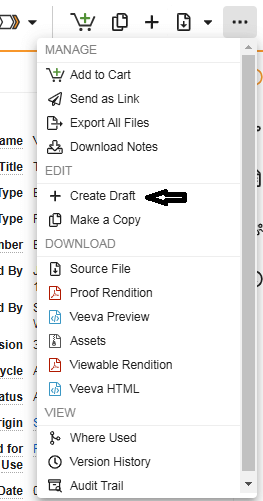
Email Template
The process is the same has described above.
Email Fragments
Too add new fragments to an existing template, you need to create a new version of the template. The option 'Create Draft' must be used (like described above), for the email template you wish to add the fragment to.
Create and ipload the fragment beforehand and link it to the template (pieces must be staged). 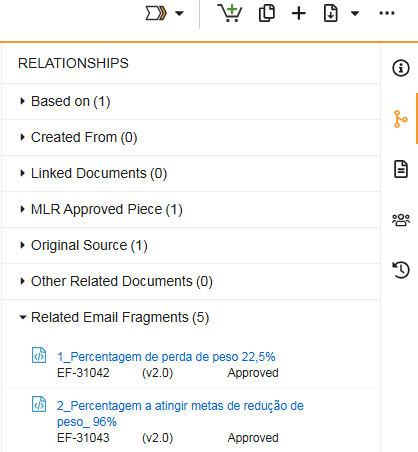
Generate a render Proof
Follow the described in the steps of the Submission Process.